
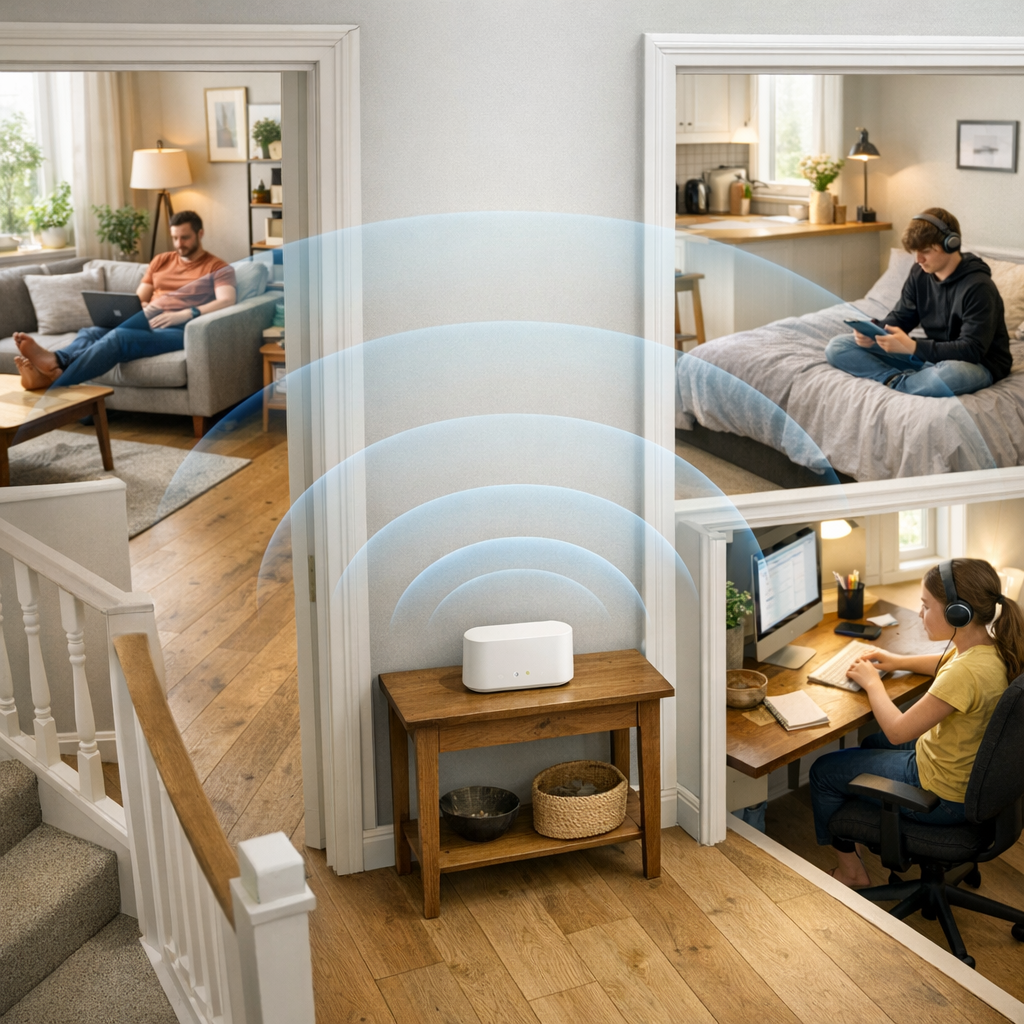
Understand why home layout matters as much as broadband speed for Wi‑Fi, practical ways to match Wi‑Fi setup to your room and how to check and revisit your Wi‑Fi setup over time
Why home layout matters as much as broadband speed for Wi‑Fi
Many people in the UK now have a broadband connection that looks fine on paper, but still find that some rooms feel far more reliable than others. A speed test beside the router might show healthy figures, yet video calls break up in the study, streaming stalls in the bedroom, or a child struggles to join an online lesson at the back of the house. The line into the property is often not the problem; instead, it is the way Wi‑Fi and wiring interact with the layout of the home.
A calmer way to think about this is to see your connection in two parts. The first part is the broadband line itself, which your provider brings to a master socket or fibre box. The second part is everything that happens inside your property: where the router lives, how Wi‑Fi moves through walls and floors, and how many devices share that signal at once. If the first part is sound but the second has been left to chance, you are likely to see good results in some spots and frustration in others.
Start by drawing a simple plan of your home on a piece of paper – nothing technical, just rooms and rough positions. Mark where the router sits today and where people most often use the connection: a home office, the dining table, bedrooms, a favourite armchair. Then look for patterns. Are there long corridors, thick internal walls or a loft conversion that sits a long way from the hub? Do you have an extension that was added later, with walls or doors between it and the original living space? These features all have an impact on how easily Wi‑Fi can reach different corners.
It is also useful to think about what tends to happen at the same time. A house can often cope well with one person streaming in the living room and another scrolling on a phone nearby, but feel very different when someone is on a video call upstairs, a child is gaming in a bedroom and a TV is streaming in the kitchen extension. Smart speakers, thermostats and cameras add to the quiet, constant background demand. By sketching this whole picture – rooms, routines and devices, you give yourself a clearer view of where any weak spots are likely to come from.
Regulators recognise that in‑home setup is now as important as the line itself. Ofcom’s practical tips on improving Wi‑Fi experience explain how factors such as router placement, interference from other equipment and the shape of your home affect what you feel room by room: Improving your wifi experience.
Their separate guidance on broadband speeds sets out how to run fair tests at the router, so you can see whether the underlying line is performing as expected before you look at Wi‑Fi: Practical tips for improving your broadband speed.
Once you have a sketch of your home and a sense of how the line itself behaves, you can start to bring the two together, making small, practical changes so that your Wi‑Fi setup reflects the layout of the rooms you actually use.
Practical ways to match Wi‑Fi setup to your rooms
In most UK homes, the broadband line arrives in just one place, a master socket or a small fibre box, but everyday life happens across several rooms and, in many cases, over more than one floor. The gap between that single entry point and the way you actually use the connection is often where frustration creeps in. The aim is not to turn your living room into a wiring project, but to make a few thoughtful choices that let your Wi‑Fi follow the shape of your home.
A good starting point is where you put the router. Routers send out radio signals, and those signals are weakened by every wall, floor, cupboard and large object they pass through. That is why a hub tucked on the floor behind the television or hidden in a cupboard under the stairs so often leads to weak spots in loft rooms, back bedrooms or kitchen extensions. Whenever your provider allows it, aim for an open, raised, fairly central position: a shelf on the middle floor of a townhouse, a sideboard in a hallway, or a spot where the stairs and landings meet. Ofcom’s practical advice on improving Wi‑Fi shows, with simple diagrams, how central placement and some breathing space around the router can make a noticeable difference: Improving your wifi experience.
Next, think about the shape of your home. A compact flat may be well served by a single, sensibly placed router. A longer property, an L‑shaped extension, or a three‑storey house with a loft office often asks more than one box can comfortably manage on its own. If you have rooms where Wi‑Fi is consistently weak, such as a garden office, a rear bedroom or a corner of an open‑plan kitchen, it may be worth adding a modest mesh Wi‑Fi system or a small number of extra access points. In a mesh setup, a main unit connects to your router and one or two additional units sit in the middle of your weaker areas, passing data between them so devices can stay connected as you move around the house.
Positioning these extra units sensibly matters as much as choosing them in the first place. Rather than placing an access point right at the edge of your signal, it is usually better to put it halfway between the main router and the room you are trying to help. Think in terms of clear sight‑lines: a mesh unit on a landing with doors open to several rooms will often carry the signal further than one hidden behind a cupboard in that same room. Where possible, avoid putting Wi‑Fi equipment directly next to fridges, microwaves, large TVs or water tanks, all of which can interfere with signals.
There are also times when a simple cable is the quietest solution. If one or two devices never move, such as a TV, games console or desktop PC then running a short Ethernet cable from the router or a nearby switch can take a lot of pressure off the wireless network. It means streaming and gaming traffic does not have to compete for the same radio space as phones, tablets and smart‑home devices, and it often gives the most stable experience for anything that really benefits from it, like online games or long video calls.
Checking and revisiting your Wi‑Fi setup over time
Once you have made a few sensible changes, it is worth checking in now and then to see whether the connection feels closer to what you expect and deciding whether anything else needs to change. You do not need to turn this into a project; a light‑touch review every so often is enough.
A simple habit is to walk the house with a phone or laptop at a time when you would normally be online. In each room that matters, a workspace, favourite sofa, children’s rooms, open a few pages, play a short video, and if you rely on calls, try a quick test call. Notice how it feels rather than focusing solely on numbers. If pages open briskly and video holds steady where it used to stutter, your layout changes are doing useful work.
It can also help to run the occasional wired speed test as a reference. With a laptop connected directly to the router using an Ethernet cable, use a reputable testing site to measure download and upload speeds. Compare those results with the estimated and minimum guaranteed speeds in your contract. Ofcom’s guidance on broadband speeds explains what those guarantees should look like and what to do if performance at the router consistently sits below them: Broadband speeds: what you need to know.
If the wired results are healthy but particular rooms still feel weak, that is a clear sign the remaining work lies inside the home, not on the line itself.
Over time, households change. Someone might start working from home more regularly, children may need a quiet corner for online homework, or you might add a couple of smart cameras or speakers. When that happens, it is worth revisiting your mental floor plan. Ask whether the spots that now matter most are still well‑served by your current setup, or whether a small adjustment, such as moving a mesh unit, adding another, or running a single extra cable would quietly improve things.
Throughout, it can help to keep a short note of your layout and any changes you make: where the router and any extra Wi‑Fi points live, which rooms they serve, and a few typical speed‑test results. A service‑led provider should be happy to talk through that picture with you in plain English and suggest calm, proportionate next steps if you ever feel unsure.
Handled this way, matching Wi‑Fi to your home layout becomes an occasional, gentle check rather than a constant worry. The broadband line does its job in the background, and your in‑home setup evolves slowly with the way you live, so the connection feels reliable wherever you actually spend time.